ChatJPT: All the Major AIs in One Free App
A single HTML file to chat with 16 AI providers, run sourced deep research, create and edit images, make videos, voice-overs and podcasts, and read your PDF, Word and Excel files. No installation, no middle server, no account to create: your keys stay encrypted in your browser.
🔔 Get ChatJPT updates by email
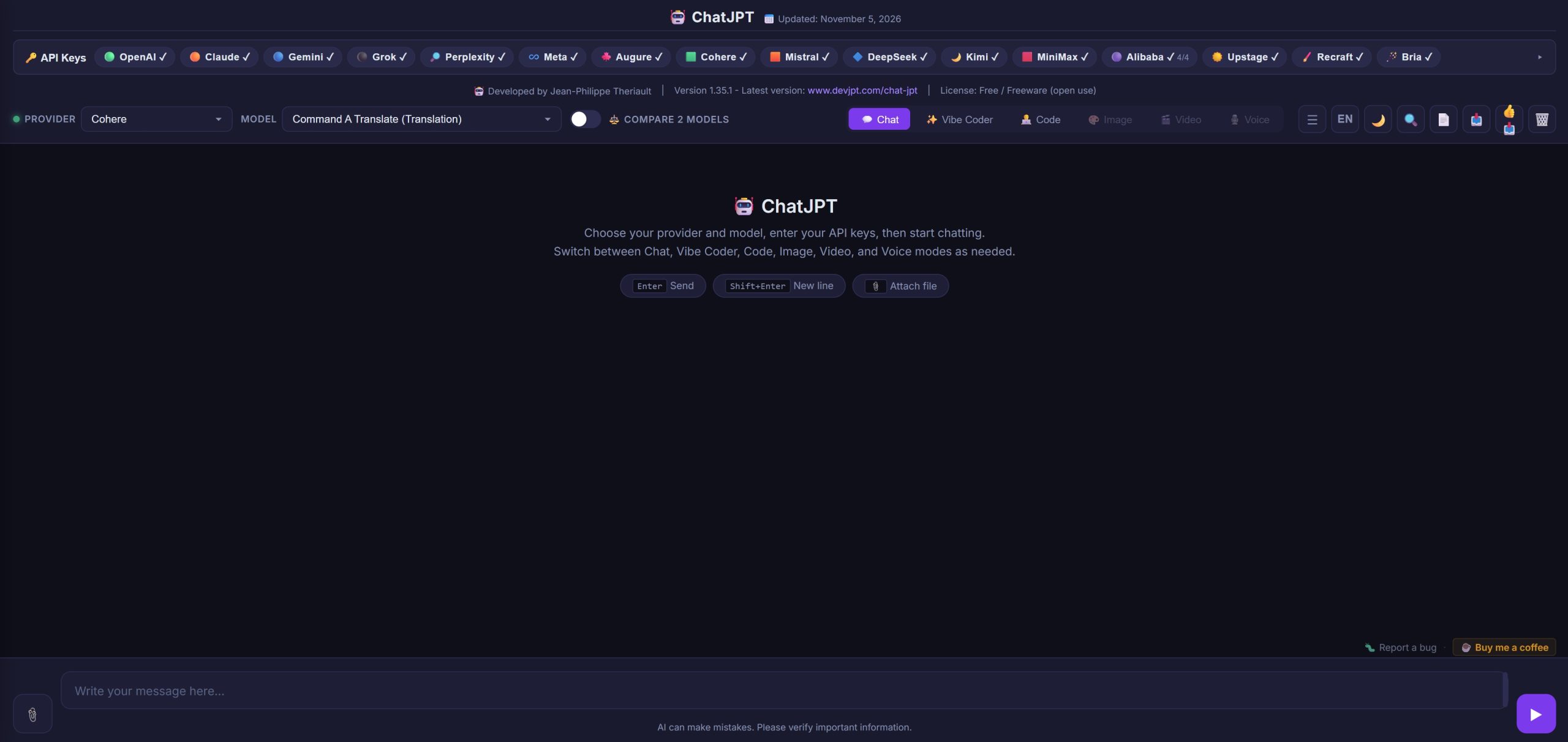
16 providers, one interface
Use your own API keys. Providers are grouped by country, so you can also choose based on where your data is processed.
United States
Canada
France
United Kingdom
Israel
South Korea
China
What ChatJPT does
Everything runs right in your browser: ChatJPT talks to the AI providers without going through a third-party server.
Your keys stay with you
API keys are encrypted (AES-GCM) and stored in your browser. They are only sent to the matching provider, never to the author. One button clears every key at once, handy on a shared computer.
Compare two models
Ask two models the same question, from different providers if you like, and see their answers side by side. Keep the best one in a click; it carries on the conversation.
Visible reasoning
For models that reason, their thinking appears in a collapsible block before the answer. Adjust the depth or effort per model, or turn it off for faster answers.
Web search and pasted links
Turn on web search for up-to-date answers with clickable sources. Paste a link: the model actually reads the page instead of guessing what it says. With Grok, search X posts too.
Deep research New
Hand a complex question to Gemini Deep Research, Qwen Deep Research or Grok's agents: they search the web for several minutes and write a structured report, with its sources. You can edit the proposed plan before the research starts.
Faster when needed New
When speed matters, turn on Claude's fast mode, OpenAI Ultrafast or Grok priority processing. The extra cost is shown next to each switch.
Images
Create images with OpenAI GPT Image (animated GIF included), Google Nano Banana (panoramic formats), Qwen Image, Wan (up to 4K), Grok Imagine, MiniMax, Recraft (vector SVG included) or Bria: several variants at once, styles, formats and sizes of your choice. Images and audio are kept in your browser.
Videos
Make videos with Google Gemini Omni, Grok Imagine, Alibaba Wan and HappyHorse or MiniMax Hailuo, from a text or your photos: first frame, first and last frame, or reference characters and objects, with sound. Extend a video (up to 40 s with Omni) or change one element with a sentence.
Image editor
Under each image: edit it with a sentence, erase an object with the brush, mark up or comment on a precise spot, remove the background, change the format or animate it into a short video. The Recraft and Bria menus add vectorizing, upscaling, old photo restoration, colorizing and product photos.
Voice
Turn text into speech with MiniMax, Google Gemini, Alibaba Qwen, Grok or OpenAI: hundreds of voices in dozens of languages, easy to find by language, gender or use, with emotions, tone and effects (laughs, whispers…). Design, remix or clone your own voice (Gemini, MiniMax, Alibaba).
Podcasts
Attach a document or start from the conversation: a model writes the script of a two-host podcast (or a monologue), you review it, then it is read with two voices. You get an audio file ready to play.
Files and PDFs
Attach text, code, images, PDFs, Word or Excel files. Claude and Qwen can read PDFs page by page, charts included, and Claude gives the page of each quoted passage. Scanned PDFs are transcribed once by the AI, and the estimated cost is shown before it starts.
Vibe Coder and Code
Vibe Coder mode guides beginners step by step to build a page or a tool without knowing how to code. Code mode offers syntax highlighting, file downloads and a live preview of HTML pages, in a secure sandbox.
Built-in charts
Ask for a chart: bars, lines, pie, histograms, scatter plots, treemaps, heatmaps… It appears right in the conversation.
Organized conversations
Multiple conversations in a side panel, search within the text, edit a message you already sent, regenerate with another model, export to Markdown, JSON or PDF.
Costs under control
Each answer shows the tokens it used, the part read from cache (much cheaper) and, with Grok, its exact cost, with a total per conversation. When something fails, the provider's exact message is shown so you understand the problem right away.
Trilingual, light or dark
Interface in English, French and Spanish, with a light or dark theme. The AI answers in the language of your message, and your preferences are remembered.
Get started in 3 steps
Nothing to install: ChatJPT fits in a single file.
Download the file
Get ChatJPT_1_35_2.html on GitHub, then open it in Chrome, Edge, Firefox or Safari.
Add an API key
Paste the key of at least one provider (OpenAI, Gemini, Claude…). The included guide explains how to get one, often free to start.
Chat, create, compare
Pick a model and a mode, then start typing. You only pay for what you actually use, directly to the provider.